Kontext & Motivation
Manuelle AWS-Deployments sind fehleranfällig, nicht reproduzierbar und nicht skalierbar. Infrastructure as Code mit Terraform ist der industrielle Standard — jede Änderung ist versioniert, jedes Deployment reproduzierbar, jedes Team-Mitglied arbeitet am gleichen State.
Ziel dieses Projekts war es, eine vollständige, realistische Cloud-Infrastruktur auf AWS zu entwerfen und mit Terraform zu automatisieren — von der Netzwerksegmentierung bis zum Deployment einer lauffähigen Java-Webanwendung.
Cloud
AWS — VPC, EC2, RDS, ElastiCache, Amazon MQ, Elastic Beanstalk
IaC
Terraform — plan/apply, Remote State in S3, Modules
Security
Least-Privilege Security Groups, Private Subnets, Bastion Host
Deployment
Elastic Beanstalk + Tomcat — automatisches App-Deployment
1 — Architekturübersicht
Die Infrastruktur folgt einer klassischen Multi-Tier-Architektur mit klarer Netzwerksegmentierung:
Netzwerk & Security
- VPC mit Public & Private Subnets
- Internet Gateway (IGW)
- NAT Gateway (Outbound für Private)
- Bastion Host (SSH Jump)
- Security Groups (Least Privilege)
Anwendung & Services
- Elastic Beanstalk (Apache Tomcat)
- RDS MySQL — Datenbank
- ElastiCache Memcached — Cache
- Amazon MQ RabbitMQ — Messaging
- S3 Remote Backend für Terraform State
Request Flow — End-to-End
2 — Terraform Workflow
Alle Ressourcen werden ausschließlich über Terraform erstellt — kein manuelles Klicken in der AWS Console.
| Befehl | Zweck |
|---|---|
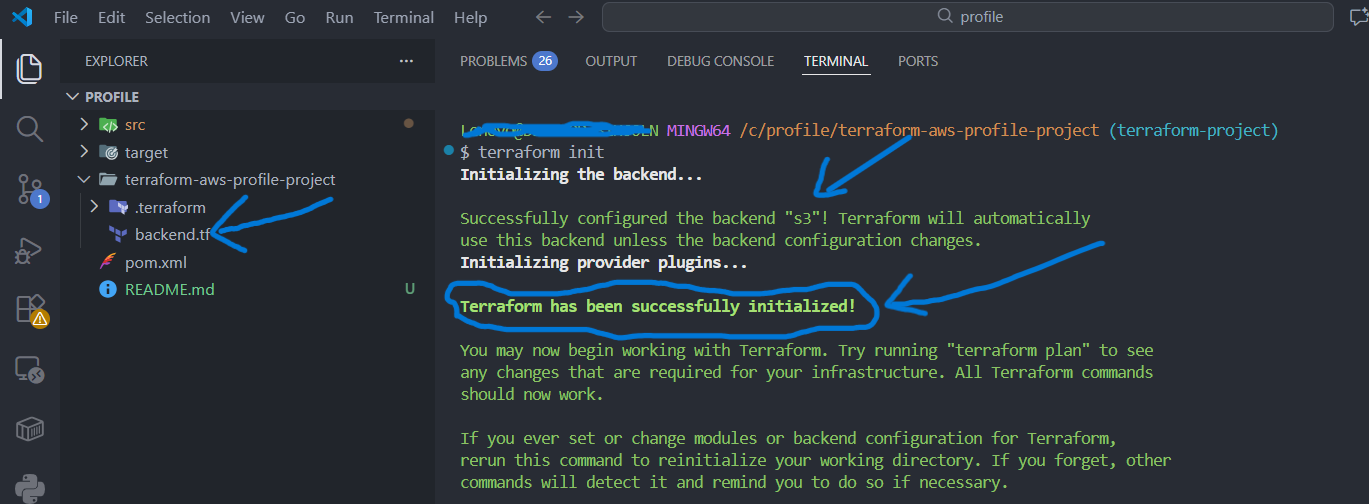
terraform init | Projekt initialisieren, Provider laden, S3 Backend verbinden |
terraform fmt | Code formatieren nach Best Practices |
terraform validate | Syntax und Logik prüfen |
terraform plan | Vorschau der Änderungen — was wird erstellt/geändert/gelöscht |
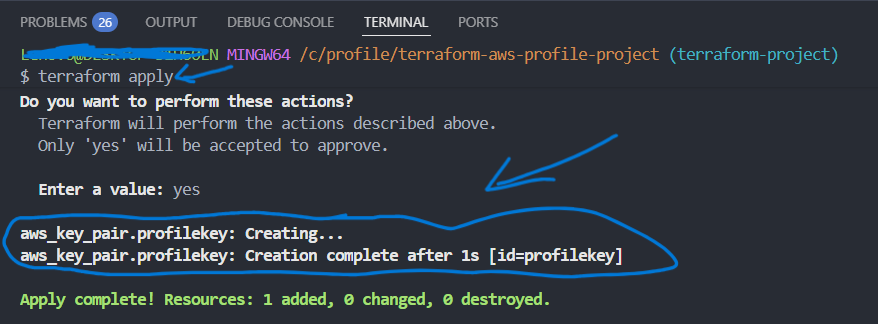
terraform apply | Infrastruktur auf AWS erstellen |
terraform destroy | Alle Ressourcen sauber löschen |
S3 Remote Backend
terraform {
  backend "s3" {
    bucket         = "terraformstate-profile"
    key            = "terraform/backend"
    region         = "us-east-1"
    encrypt        = true
  }
}
Terraform Outputs
output "rds_endpoint"   { value = aws_db_instance.profile-rds.address }
output "cache_endpoint" { value = aws_elasticache_cluster.profile-cache.cache_nodes[0].address }
output "mq_endpoint"    { value = aws_mq_broker.profile-rmq.instances[0].endpoints[0] }
3 — Implementierungsschritte
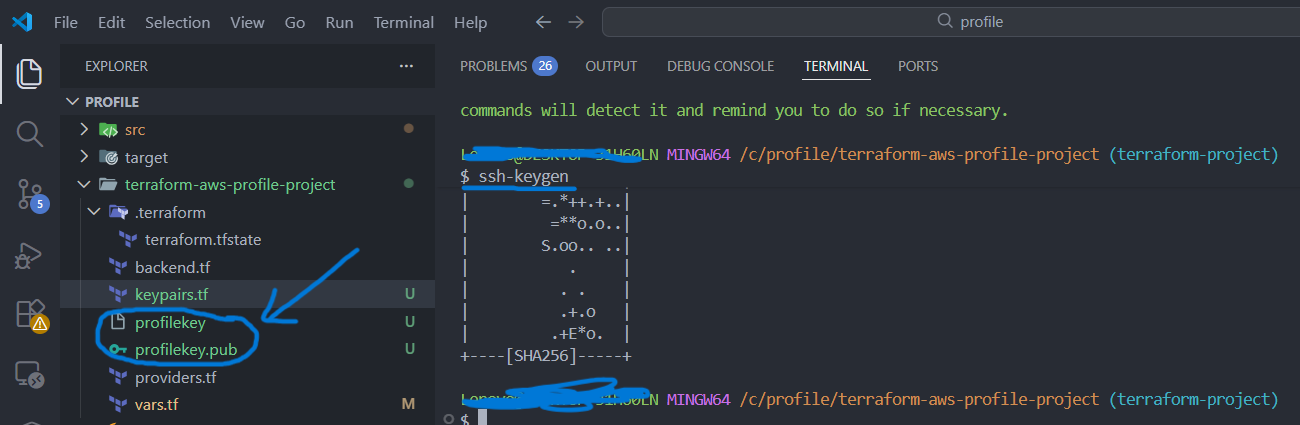
3.1 Key Pair & SSH
ssh-keygen -f profilekey

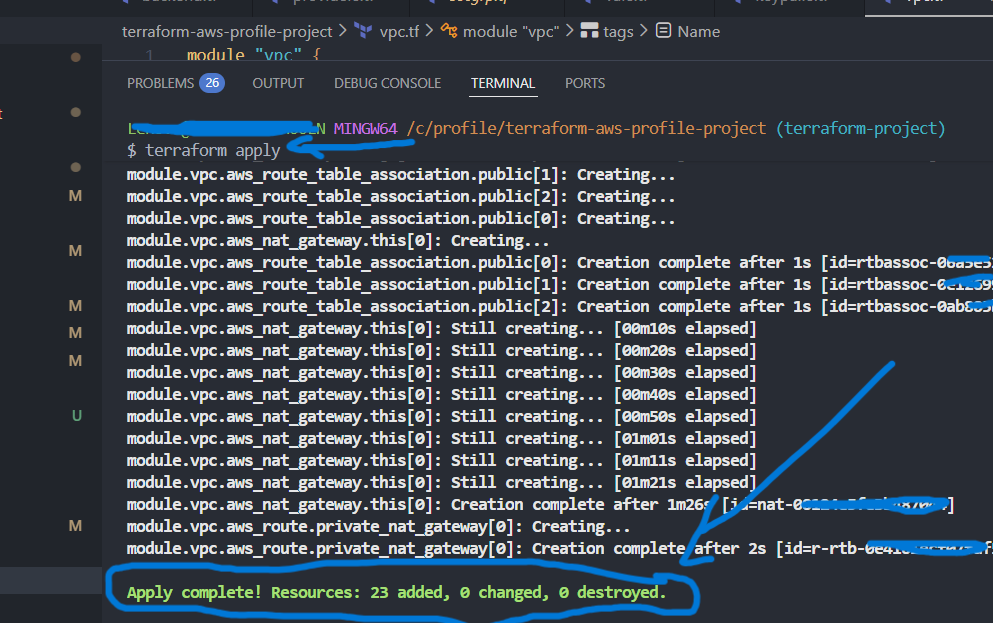
3.2 VPC Module
module "vpc" {
  source          = "terraform-aws-modules/vpc/aws"
  name            = var.VPC_NAME
  cidr            = var.VpcCIDR
  azs             = [var.Zone1, var.Zone2, var.Zone3]
  public_subnets  = [var.PubSub1CIDR, var.PubSub2CIDR, var.PubSub3CIDR]
  private_subnets = [var.PrivSub1CIDR, var.PrivSub2CIDR, var.PrivSub3CIDR]
  enable_nat_gateway      = true
  single_nat_gateway      = true
  enable_dns_support      = true
  enable_dns_hostnames    = true
  map_public_ip_on_launch = true
}

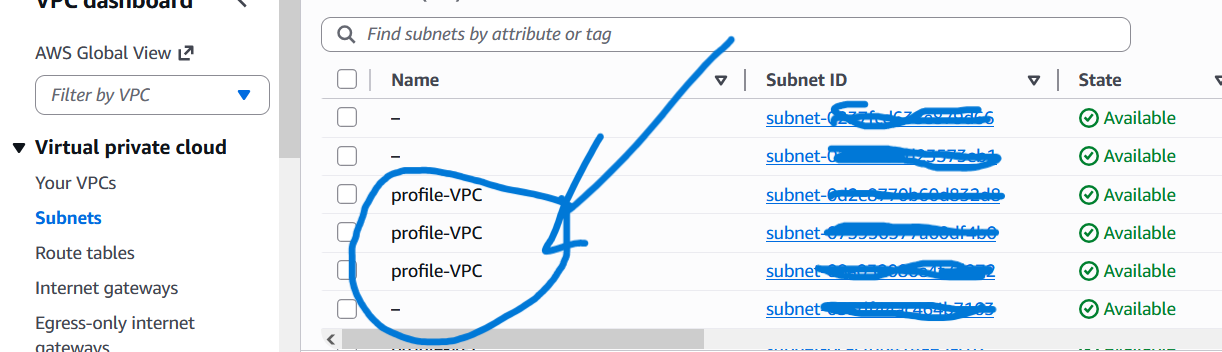
3.3 Security Groups
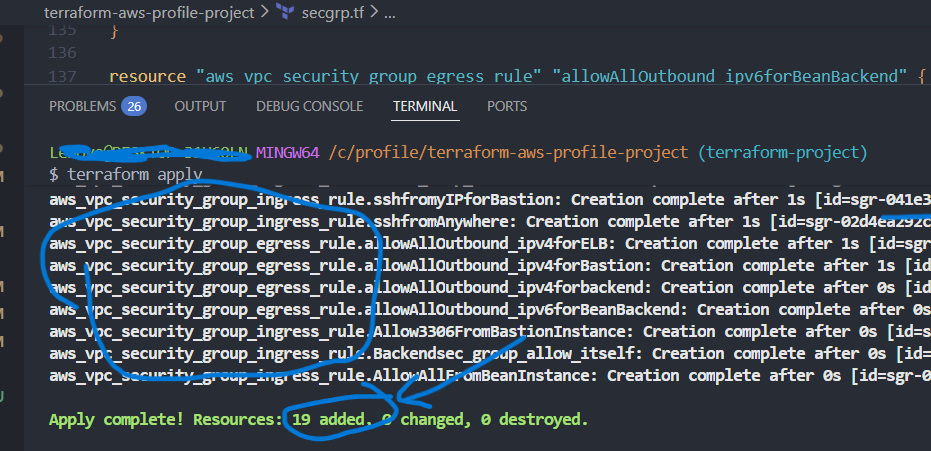
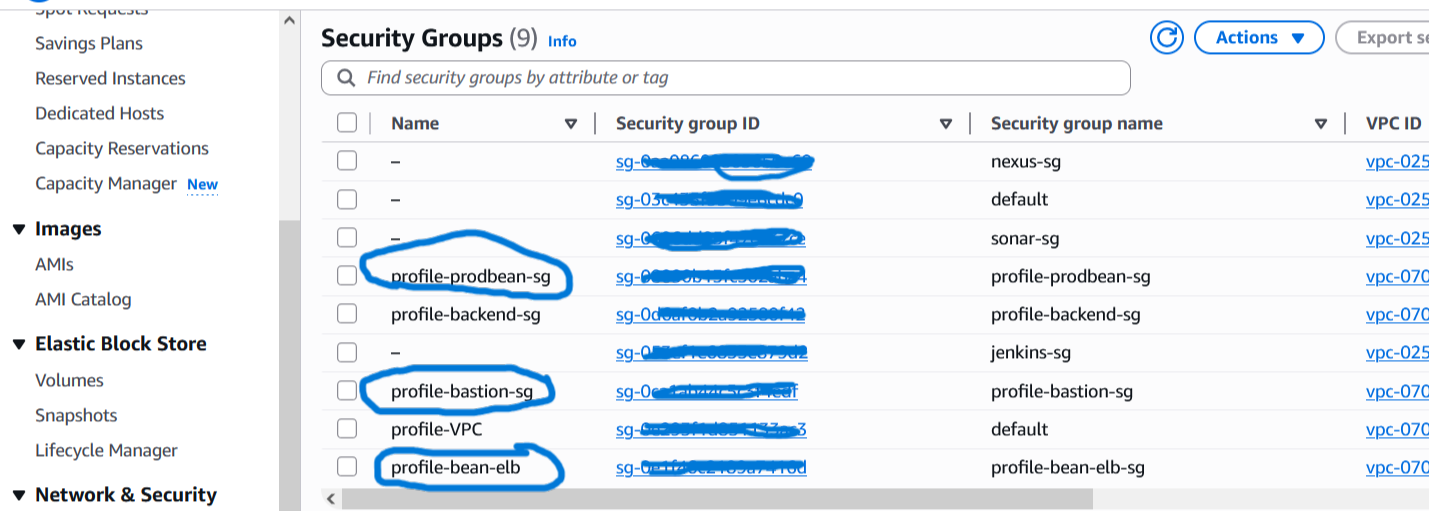
4 Security Groups nach Least-Privilege-Prinzip — SG-zu-SG Regeln statt offene IP-Ranges:
| Security Group | Inbound | Zweck |
|---|---|---|
| alb-sg | 80/443 von 0.0.0.0/0 | Load Balancer — öffentlich |
| app-sg | App-Port von alb-sg · SSH von bastion-sg | Application Tier — privat |
| bastion-sg | SSH (22) von My IP | Admin SSH Einstiegspunkt |
| backend-sg | 0-65535 von app-sg · 3306 von bastion-sg | RDS, ElastiCache, MQ — isoliert |
3.4 Backend Services (RDS, ElastiCache, Amazon MQ)
resource "aws_db_instance" "profile-rds" {
  engine               = "mysql"
  engine_version       = "8.0.39"
  instance_class       = "db.t4g.micro"
  publicly_accessible  = "false"
  db_subnet_group_name = aws_db_subnet_group.profile-rds-subgrp.name
  vpc_security_group_ids = [aws_security_group.profile-backend-sg.id]
}
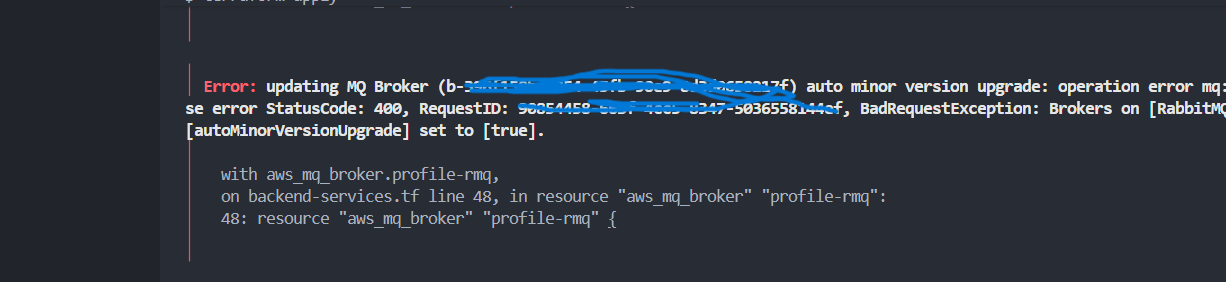
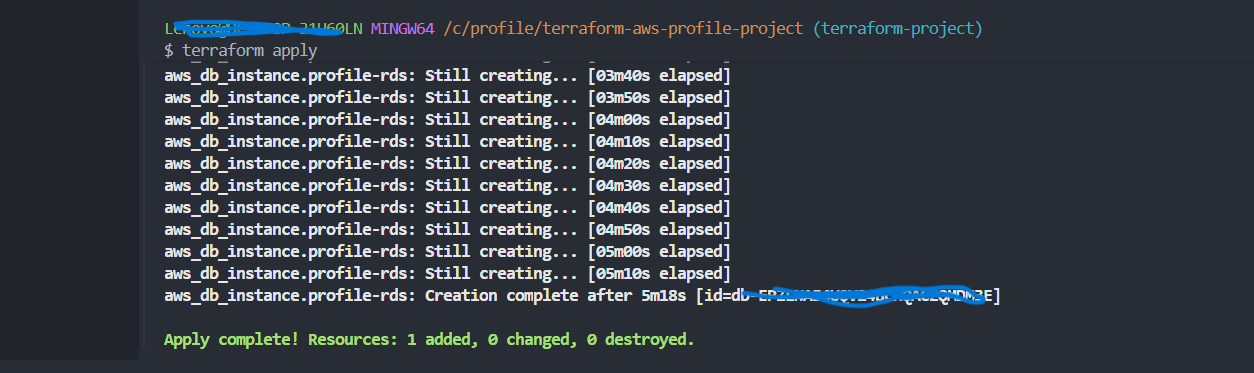
auto_minor_version_upgrade = true — ohne diese Option schlägt die Erstellung fehl. Nach dem Fix mit terraform apply erfolgreich erstellt.
3.5 Elastic Beanstalk Environment
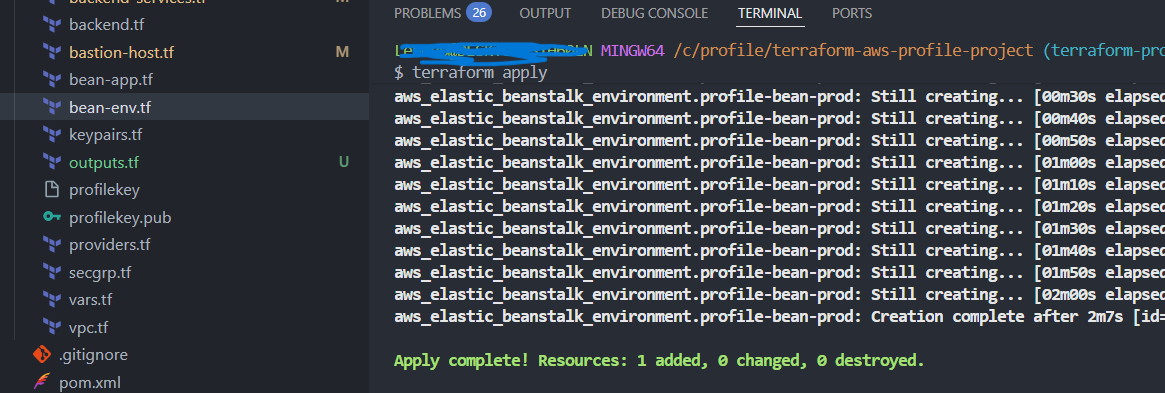
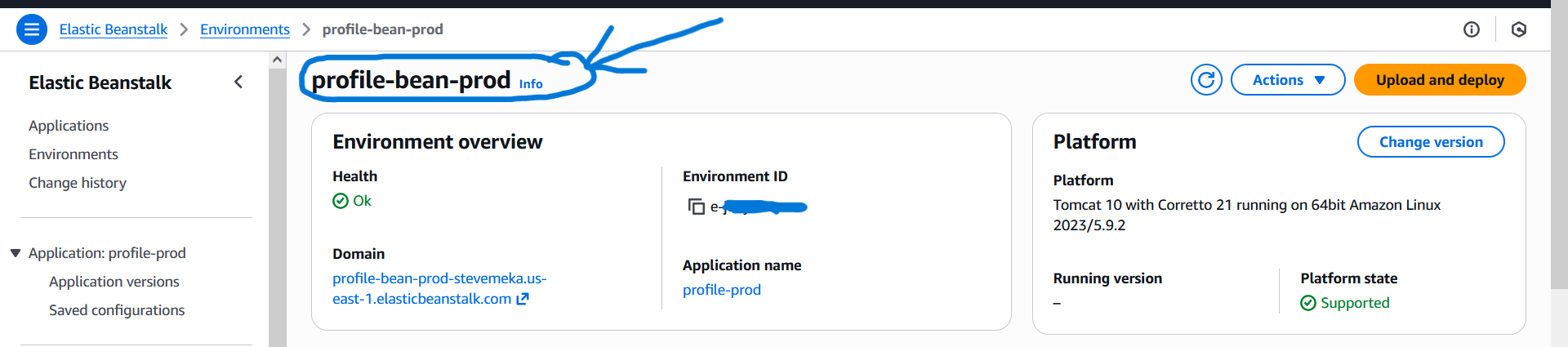
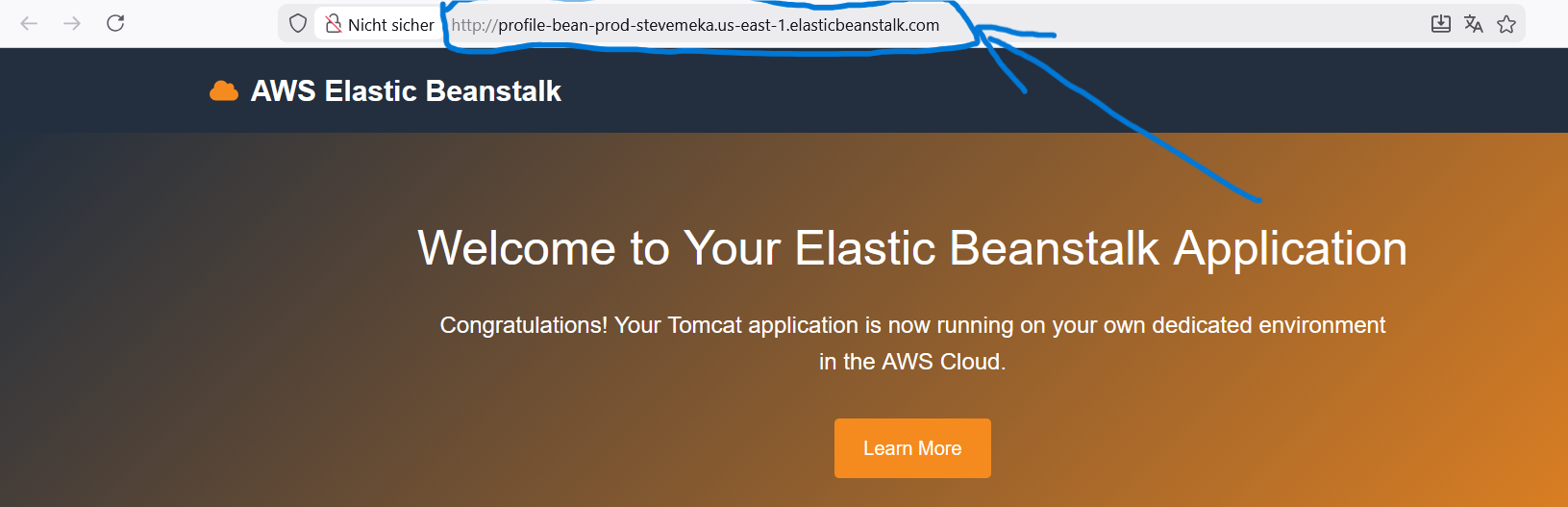
resource "aws_elastic_beanstalk_environment" "profile-env" {
  name                = "profile-prod-env"
  application         = aws_elastic_beanstalk_application.profile-app.name
  solution_stack_name = "64bit Amazon Linux 2 v5.8.4 running Tomcat 9 Corretto 17"
  setting { namespace = "aws:ec2:vpc" name = "VPCId"      value = module.vpc.vpc_id }
  setting { namespace = "aws:ec2:vpc" name = "Subnets"    value = join(",", module.vpc.private_subnets) }
  setting { namespace = "aws:ec2:vpc" name = "ELBSubnets" value = join(",", module.vpc.public_subnets) }
}
3.6 Bastion Host & DB Initialisierung
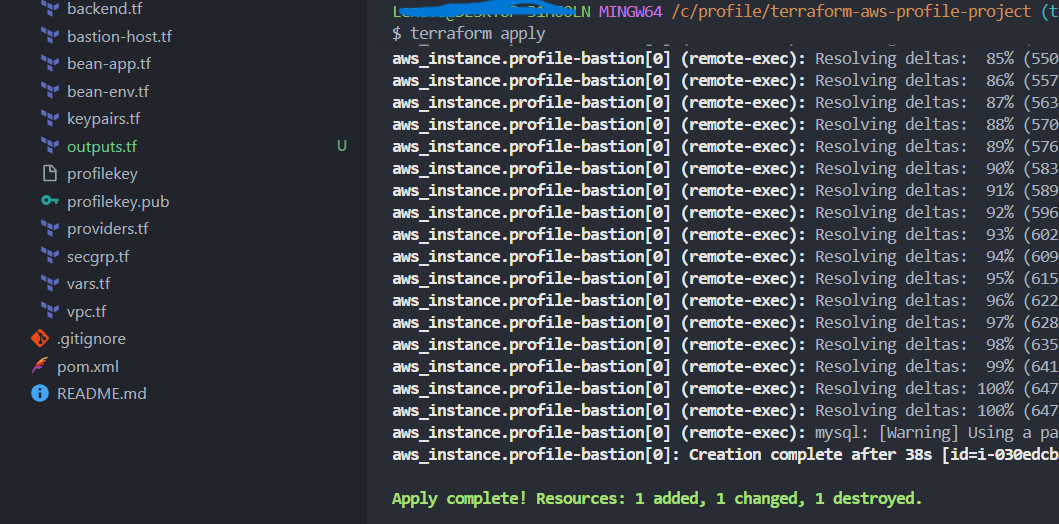
Terraform Provisioner kopiert und führt das DB-Init Script automatisch via SSH auf dem Bastion Host aus:
provisioner "file" {
  content = templatefile("templates/db-deploy.tmpl", {
    rds-endpoint = aws_db_instance.profile-rds.address,
    dbuser       = var.dbuser,
    dbpass       = var.dbpass
  })
  destination = "/tmp/profile-dbdeploy.sh"
}
provisioner "remote-exec" {
  inline = ["chmod +x /tmp/profile-dbdeploy.sh", "sudo /tmp/profile-dbdeploy.sh"]
}
4.7 Artifact Deployment
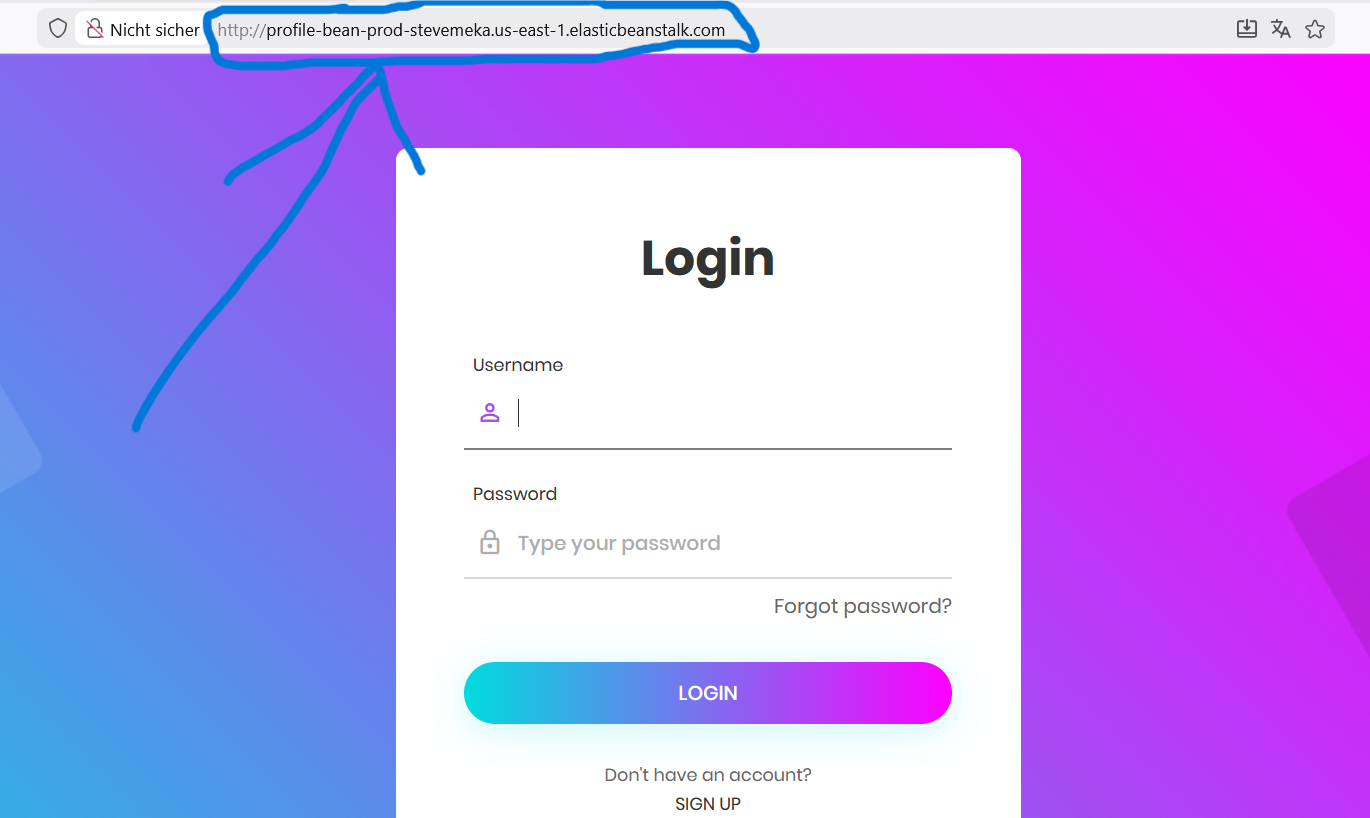
mvn clean install
4 — Zusammenfassung
| Komponente | AWS Service | Terraform Resource | Status |
|---|---|---|---|
| Netzwerk | VPC + Subnets + IGW + NAT | module.vpc | ✅ |
| Security | Security Groups (4) | aws_security_group | ✅ |
| Admin Access | Bastion Host (EC2) | aws_instance | ✅ |
| Datenbank | RDS MySQL 8.0 | aws_db_instance | ✅ |
| Cache | ElastiCache Memcached | aws_elasticache_cluster | ✅ |
| Messaging | Amazon MQ RabbitMQ | aws_mq_broker | ✅ |
| Application | Elastic Beanstalk + Tomcat | aws_elastic_beanstalk_environment | ✅ |
| State | S3 Remote Backend | terraform backend | ✅ |
Skills
5 — Ausblick
- 1CI/CD Integration
Automatischesterraform planbei Pull Requests undterraform applybei Merge — Infrastruktur-Änderungen wie Code behandeln. - 2Terraform Modules
Wiederverwendbare Module für VPC, Security Groups und Backend Services — reduziert Duplikation bei Multi-Environment Deployments (Dev/Staging/Prod). - 3Multi-AZ RDS & High Availability
Aktivierung vonmulti_az = truefür RDS und mehrere Beanstalk-Instanzen — Produktionsreife Hochverfügbarkeit. - 4AWS WAF & CloudFront
Web Application Firewall vor dem Load Balancer und CloudFront CDN für Performance und DDoS-Schutz.